How to create impactful E – learnning videos with animation

Strong training content shapes skill growth, safety habits, and daily work quality. Animated learning media now guides many training plans, and teams expect clarity, pace, and visual order. Viewers value rhythm, tone, and message flow, so every frame must respect consistency in voice and structure. Brands that invest in clear planning see higher watch time, higher recall, and better test scores. Many training leaders search for e-learning video production partners that keep consistency across style, pacing, and delivery.

A clear plan guides script flow, scene length, and graphic tone. Animation adds motion that supports memory and attention, so each cue must respect consistency across transitions and colors. Learners trust material that feels stable and well paced, and this trust builds focus. A steady production model keeps budget control and timeline order. This discipline defines high quality animated e-learning videos with measurable learning value and visible consistency.

Understanding the Role of Animation in Learning

Animation explains steps that static slides fail to show. Motion supports spatial memory and reduces reading load, and this link builds consistency in learner response. Clear icons, arrows, and timed reveals guide attention to one idea per frame. Each sequence follows a pattern that trains the eye and supports consistency across lessons. Teams that master these rules deliver better retention and fewer support calls.

Short visual stories match human memory cycles. A learner tracks a simple path from problem to action to result, and this pattern keeps consistency in message flow. Animated cues replace long text blocks and hold focus for longer sessions. Trainers gain a repeatable method that supports scale and brand voice consistency. This structure explains the rising demand for animated e-learning videos across compliance, onboarding, and sales training.

Setting Clear Learning Objectives

Every project starts with a defined goal and a learner profile. A clear objective guides script length, scene depth, and quiz style, and this planning supports consistency. Teams list three outcomes and map each to a visual action. This map avoids content drift and keeps tone steady across modules. Trainers measure progress with simple tests that reflect the same structure and consistency.

Learning goals shape the animation style and pace. Safety training favors calm motion and stable colors, and this supports emotional consistency. Sales training uses faster cuts and bold charts that still keep brand consistency. A stable rule set helps writers and animators align their work. Many e-learning video production teams follow this method to protect quality and delivery consistency.

Scriptwriting for Animated Learning

A strong script reads like a spoken guide and avoids long clauses. Each sentence carries one idea and keeps rhythm for voice clarity and consistency. Writers choose simple verbs and short phrases that support clear timing. Repeated phrasing across lessons builds memory and reinforces consistency. Review cycles remove filler words and tighten message flow.

Visual notes sit next to each line of script. These notes guide camera moves, icons, and charts with visual consistency. A fixed template speeds reviews and keeps production order steady. This method reduces rework and protects schedule consistency. Professional teams that produce animated e-learning videos rely on this discipline to keep cost and quality in balance with consistency.

Storyboarding and Visual Planning

Storyboards convert script lines into frame logic. Each panel shows layout, motion cue, and text block with clear consistency rules. Designers use grid systems and spacing guides to keep balance across screens. This structure lowers visual noise and keeps learner focus steady. A stable storyboard format also supports handoff clarity and team consistency.

Color palettes and icon sets remain fixed across the course. This visual order builds brand memory and learning consistency. Viewers recognize patterns and predict flow, so cognitive load drops. Teams store assets in shared libraries to protect file consistency. Many video production companies in Kolkata follow this system to meet client brand rules with consistency.

Choosing the Right Animation Style

Flat motion suits policy training and data slides. Character animation fits soft skill topics and role play, and this match supports narrative consistency. Whiteboard style works for step training with a calm tempo that keeps visual consistency. The key is a stable style guide that defines stroke weight, motion speed, and text scale. This guide prevents random choices and protects visual consistency.

Style choice affects production speed and cost. A simple motion set reduces render time and keeps schedule consistency. Complex rigs raise review cycles and risk drift in visual consistency. Teams align style choice with timeline and learner need to protect project consistency. Many clients who seek e-learning video production value this clarity in planning and delivery consistency.

Voice, Music, and Sound Design

Voice tone guides learner trust and pacing. A steady voice profile across modules supports auditory consistency. Pronunciation rules and pacing notes guide narrators during recording. Clean audio removes distractions and keeps message clarity consistent. Audio checks run before animation lock to protect workflow consistency.

Music adds mood but must stay light and steady. Repeating a small theme builds brand recall and emotional consistency. Volume rules protect voice clarity and prevent fatigue. Sound effects stay subtle and repeat in the same contexts for behavioral consistency. High quality animated e-learning videos respect these sound rules to maintain learner focus and consistency.

Editing and Post Production Workflow

Editing shapes timing, transitions, and text rhythm. A fixed cut style keeps scene flow steady and supports visual consistency. Editors follow a shared timeline template that locks intro length and outro format. This template speeds delivery and protects brand consistency. Review rounds follow a checklist to catch drift and restore consistency.

Compression and export settings affect clarity across devices. A single preset avoids playback issues and supports technical consistency. File naming rules protect asset tracking and audit clarity. Version logs track changes and keep approval history consistent. Many video production companies in Kolkata use this system to manage volume work with consistency.

Accessibility and Learning Compliance

Captions support hearing access and search indexing. A fixed caption style keeps reading flow steady and protects visual consistency. Font size and contrast meet global standards and reduce eye strain. Transcript files follow a naming rule to protect archive consistency. Accessibility audits run at each release stage to protect compliance consistency.

Screen reader tags and alt text support inclusive learning. Simple phrasing helps clarity and keeps tone consistency. Keyboard navigation tests verify player control order and functional consistency. These steps reduce risk and build trust with learners. Strong e-learning video production teams treat accessibility as a core quality rule tied to consistency.

Measuring Performance and Feedback

Analytics track watch time, drop points, and quiz scores. A standard dashboard keeps reporting format consistent. Teams compare data across cohorts and adjust content flow to restore learning consistency. Short surveys capture learner sentiment in a structured form. Feedback cycles follow a calendar that supports review consistency.

A data log stores change history and test results. This record guides future updates and protects version consistency. Clear metrics support budget planning and content scale control. Teams refine scripts and visuals using these signals to sustain quality consistency. Strong animated e-learning videos evolve through this measured cycle with visible consistency.

Choosing a Production Partner in Kolkata

Local studios support faster coordination, clear review cycles, and direct access to creative teams. Face to face meetings shorten feedback loops and reduce rework, which supports schedule consistency and delivery accuracy. Many organizations search for video production companies in Kolkata that follow strict workflow order, stable staffing, and repeatable quality checks. A studio visit reveals asset handling practice, file security rules, and review discipline, all of which signal long term consistency.

Client references provide proof of delivery habits and revision control standards. A stable portfolio shows repeat color use, steady pacing, and uniform typography, which confirm visual consistency. Contract terms define scope limits, review rounds, and change control that protect budget consistency. Teams that value predictable timelines and steady output focus on these signals to protect learning program stability and operational consistency.

Cputek in E Learning Video Production

  • Structured Production Model: Cputek follows a structured production model that prioritizes planning accuracy, disciplined execution, and repeat quality checks to maintain workflow consistency.
  • Clear Script and Visual Framework: Each project begins with a clear script framework, fixed visual rules, and stable review cycles that protect production consistency from kickoff through final delivery.
  • Predictable Schedules and Brand Alignment: Clients receive predictable schedules, accurate brand alignment, and controlled asset handling that maintain consistency across large training libraries.
  • Internal Style Guides and Asset Libraries: Internal style guides define layout rules, typography use, and motion pacing to protect tone and visual consistency across long programs. Shared asset libraries support reuse of icons, charts, and motion elements, which protects brand consistency and reduces rework cycles.
  • Version Tracking and File Control: Version tracking systems maintain change history, audit clarity, and file control consistency across all stages of production.
  • Unified Operating Standards Across Teams: Designers, editors, and voice teams follow the same operating standards, which reduces revision risk and protects timeline consistency.
  • Clear Communication and Review Discipline: Clear communication practice supports alignment during reviews and prevents scope drift that disrupts delivery consistency.
  • Trusted Partner for Scalable Learning Programs: Organizations that invest in e-learning video production often select Cputek for reliable workflow discipline, stable delivery records, and consistent execution across learning campaigns.

Why E Learning Exists in Modern Training

The details are followed below.

Consistent Training Across Locations

E learning delivers structured training through digital platforms that staff can access at any time. Companies train teams across offices, shifts, and regions, and classroom sessions struggle to keep message consistency. Digital modules deliver the same content, visuals, and pacing to every learner, which protects policy accuracy and operational consistency. Training managers value this control when tracking skill standards and safety habits.

Faster Knowledge Distribution

Digital delivery shortens training rollout time for product updates and rule changes. Teams publish content quickly and reach large groups without travel delays or room limits. Learners complete lessons during work gaps or remote schedules, which improves completion consistency. This access model supports workforce flexibility and predictable training coverage.

Lower Long Term Training Cost

Cost control drives adoption across large organizations. Once a module is built, repeat use requires minimal spending. Travel costs, instructor fees, and printed material drop sharply, which stabilizes training budgets and reporting consistency. Finance teams prefer this model for forecast clarity and predictable annual planning.

Measurable Learning Performance

Performance tracking strengthens accountability across departments. Learning platforms record completion time, test scores, and retry patterns. Managers review this data to confirm knowledge transfer consistency and audit readiness. Classroom programs rarely provide this depth of reporting control.

Visual Learning for Complex Tasks

Visual instruction supports complex work procedures and safety behavior. Motion explains process order, safety steps, and system flow with higher clarity than text alone. This strength explains the growing reliance on animated e-learning videos across manufacturing, healthcare, finance, and logistics sectors. Organizations that invest in structured e-learning video production gain scalable training delivery, measurable performance control, and long term content stability with steady consistency.

Conclusion

Organizations that adopt animated e-learning videos gain long term content value, faster onboarding cycles, and measurable performance tracking with steady consistency. Partner choice shapes success, and firms that evaluate workflow order, asset control, and review discipline reduce delivery risk and protect budget consistency. Teams that work with trusted providers such as Cputek strengthen brand alignment, production stability, and learning reliability through consistent execution and accountable governance.

Frequently Asked Questions

What length works best for animated training videos

Short modules between three and seven minutes hold attention and support memory consistency. This range allows one topic per segment and keeps pacing steady for cognitive consistency. Teams link several short clips into a learning path to protect flow consistency. Learners prefer this format for mobile access and time control with strong consistency.

How often should animated courses receive updates

Annual reviews keep policy and product data current and protect content consistency. High change sectors run quarterly checks to maintain accuracy consistency. A fixed review calendar supports planning clarity and workload consistency. Version tracking logs each change to preserve audit consistency.

Can animation fit technical and compliance topics

Yes, diagrams, callouts, and motion steps explain rules and processes with visual consistency. Complex flows break into short scenes that maintain message consistency. Clear labels and repeat icons reduce confusion and support recall consistency. Many regulated firms adopt animated e-learning videos for this reason and value the stable consistency.

Engineering Training Reimagined with 3D Motion Graphics

As technology advances, various industries—including engineering, aviation, and construction—are adopting innovative tools to improve the learning experience, and engineering is no different. Traditional training methods, which often depend on static diagrams and manuals, are being supplanted by immersive 3D motion graphics. These tools offer engineers, pilots, and safety personnel dynamic, interactive, and visually captivating ways to grasp complex concepts, making training not only more effective but also more accessible

Why 3D Motion Graphics for Engineering Training?

3D motion graphics add a new dimension to engineering education by presenting concepts in visually engaging and easily understandable formats. These graphics enable learners to visualize complex systems, processes, and components in action, effectively bridging the gap between theory and practical application.  

Key Benefits:  

  • Enhanced Retention: Research indicates that people retain 65% of visual information compared to only 10% of text-based information (Insivia).  
  • Interactive Learning: Interactive 3D graphics boost comprehension by involving learners in active problem-solving.  
  • Accessibility Across Platforms: These visuals can be incorporated into e-learning platforms, allowing engineers to learn at their own pace and revisit concepts as necessary.  

Broader Application Across Industries:

3D motion graphics extend beyond just engineering; they are revolutionizing training in multiple industries. For example, in aviation, pilot training programs use realistic simulations to equip trainees for actual flying scenarios while eliminating the dangers of real flights. Likewise, in construction and manufacturing, safety training leverages 3D animations to illustrate correct safety procedures and equipment usage, which greatly minimizes workplace accidents.

Transforming Complex Concepts into Understandable Visuals  

In disciplines such as mechanical, electrical, civil engineering, aviation, and labor safety, grasping intricate workings is essential. 

With 3D motion graphics:

  • Engineers can examine virtual prototypes of machines; pilots can simulate flight scenarios to understand aircraft dynamics; and safety personnel can visualize emergency procedures effectively.
  • Simulations illustrate the impact of stress, heat, or load on materials, deepening the understanding of real-world applications.  
  • Training modules can visually represent complex procedures, minimizing errors and enhancing efficiency.

Statistics Highlighting the Power of Visual Learning:

  • A significant 91% of employees believe that visual learning materials enhance their understanding of tasks (ContentBeta). 
  • Companies that incorporate video into their training programs see a 37% boost in knowledge retention (Wyzowl). 
  • 3D simulations and animations can reduce training time by as much as 50% compared to traditional methods (ScienceDirect).

A Paradigm Shift in Engineering Training

By incorporating 3D motion graphics into training initiatives, organizations are establishing new standards for efficiency and engagement. Unlike traditional manuals, these graphics allow engineers to visualize processes from various perspectives, making it easier to spot potential problems before they occur. Furthermore, the capability to simulate real-world scenarios with 3D models gives engineers practical experience without the need for costly equipment or compromising operational safety.

Future Outlook

The incorporation of 3D motion graphics in engineering training reflects a broader shift towards immersive learning in various fields, including aviation and construction. The combination of technologies like augmented reality (AR) and virtual reality (VR) is set to bring about even more significant changes.

Explore the infographic below to learn more about how 3D motion graphics are reshaping the way engineers learn and apply their skills in the real world.


Why Motion Graphics Are Taking Over Digital Marketing

The way we consume content has changed. People scroll fast, skip ads, and ignore anything that doesn’t grab their attention immediately. In a crowded digital space, standing out isn’t optional—it’s necessary. This is why motion graphics have become a game-changer for brands looking to make an impact.

Why Traditional Content Isn’t Enough

For years, businesses have relied on static images, long text posts, and traditional video ads. While they still have their place, they often struggle in today’s fast-paced digital world. If content doesn’t catch the eye in the first few seconds, it’s gone.

Static images may be polished, but they don’t always tell a compelling story. Traditional videos, while effective, can be expensive and time-consuming to produce. Motion graphics fill the gap, combining visuals, animation, and text to deliver messages quickly and effectively.

Why Motion Graphics Work So Well

People process visuals much faster than text, making motion graphics a powerful way to communicate complex ideas. Instead of reading a long explanation, viewers can absorb the same information in a few animated frames.

Beyond that, motion graphics boost memory retention. Studies show that people remember 95% of a message when they see it in video form, compared to just 10% from reading text. This makes motion graphics a smart tool for building brand recognition and improving engagement.

How Different Industries Use Motion Graphics

Motion graphics are incredibly versatile, which is why so many industries rely on them:

  • Tech & SaaS – Simplifying complex software through animated explainers
  • E-commerce – Showcasing products in engaging motion ads
  • Finance & Healthcare – Turning data into easy-to-understand visuals
  • Education & Training – Making learning interactive and engaging

No matter the industry, motion graphics help businesses communicate clearly, tell better stories, and keep audiences engaged.

The Future of Digital Marketing

Video content is dominating digital marketing, and motion graphics are at the forefront. Platforms like Instagram, TikTok, and LinkedIn prioritize video in their algorithms, making it essential for brands to adapt. With AI-driven tools and new animation techniques emerging, motion graphics will only become more dynamic and effective.

Want to see why motion graphics are shaping the future of marketing? Check out the infographic below for a detailed breakdown.

Conclusion

For the current digital space, brands don’t just need content—they need content that grabs attention, delivers value, and sticks with the audience. Motion graphics do exactly that, making them one of the most effective marketing tools today. If your brand isn’t using them yet, it’s time to start.

Motion Graphics,
Digital Marketing Trends,
Visual Marketing,
Animated Content,
Marketing with Motion,
Motion Design,
Video Marketing,
Engaging Content,
Motion Graphics Benefits,
Creative Marketing,

Why Motion Graphics Are Essential for Professional Video Production

Introduction

People lose interest in videos within seconds. Static visuals and plain narration often fail to hold attention. Motion graphics in professional video solve this problem by adding movement, clarity, and visual appeal. 

It breaks down complex ideas, enhances storytelling, and keeps viewers engaged. Whether in marketing, training, or social media, motion graphics make videos more effective, ensuring the message is understood and remembered.

In this blog, you will understand why motion graphics are essential for professional video production.

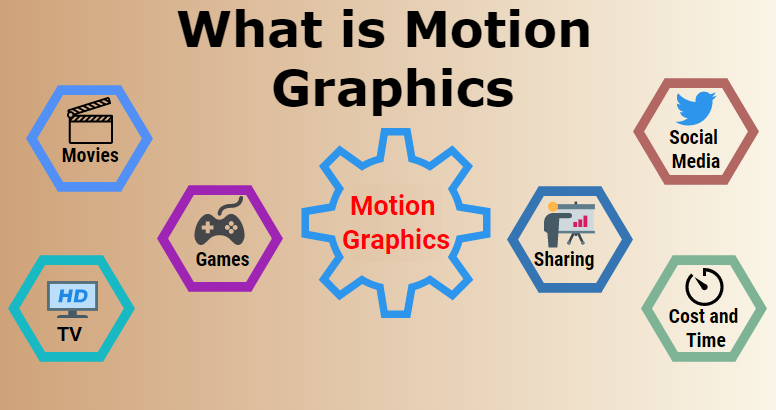
What Are Motion Graphics?

Motion graphics are animated visual elements used to enhance video content. They include moving text, icons, charts, shapes, and illustrations that add depth and clarity to a video. Unlike traditional animation, motion graphics do not focus on character-driven storytelling. Instead, they serve as a visual aid to explain concepts, highlight key messages, and make information more engaging.

These graphics bridge the gap between static visuals and full-motion animation. They appear in various forms, such as kinetic typography (animated text), data visualization (charts and infographics), animated transitions, and interactive elements. Their primary function is to simplify complex ideas, making them easier to understand within a short time.

Key elements of motion graphics include:

  • Typography Animation: Moving text that emphasizes critical points.
  • Infographics and Data Animation: Graphs, charts, and statistics brought to life.
  • Logo Animations: Animated brand elements that add professionalism.
  • Lower Thirds and Titles: Informational text overlays that improve clarity.
  • Seamless Transitions: Smooth movements between scenes for a polished look.

Motion graphics are widely used in corporate videos, advertisements, explainer videos, and social media content. They help capture attention, keep audiences engaged, and deliver messages with impact. In professional video production, they are a powerful tool to enhance storytelling and elevate visual appeal.

Why Motion Graphics Matter in Professional Video Production

Professional video production is about delivering a clear and impactful message. Motion graphics in professional video play a crucial role in enhancing storytelling, simplifying communication, and making content more engaging. Here’s why they are essential:

1. They Enhance Storytelling

Every video has a message to deliver. Motion graphics in professional video add depth to storytelling by visually representing ideas. Whether it’s a corporate presentation, product advertisement, or explainer video, well-crafted graphics help simplify complex concepts and maintain audience interest.

2. They Capture Attention Immediately

People decide within seconds whether to continue watching a video. Motion graphics add movement and visual appeal right from the start. Animated text, dynamic transitions, and engaging visuals keep viewers hooked.

3. They Simplify Complex Information

Some topics are too detailed or abstract for plain narration or live-action footage. Motion graphics clarify ideas through animated charts, infographics, and visual storytelling, making content easier to understand.

4. They Keep Viewers Engaged

A static video can become monotonous. Motion graphics in professional video add variety, keeping content fresh and engaging. Moving elements hold attention, preventing viewers from losing interest.

5. They Strengthen Brand Identity

A brand’s identity should remain consistent across all content. Motion graphics incorporate custom colors, typography, and design elements, reinforcing a recognizable and professional look.

6. They Improve Information Retention

People remember visuals better than plain text. Motion graphics in professional video make key points stand out, increasing recall and ensuring the message is not forgotten.

7. They Add a Professional Touch

Even well-shot footage sometimes needs extra refinement. Motion graphics provide seamless transitions, smooth animations, and polished effects, making videos look high-quality and well-produced.

8. They Make Content More Accessible

Not all viewers watch videos with sound. Motion graphics in professional video ensure messages are delivered effectively, even when audio is turned off. Animated text, subtitles, and visual cues improve accessibility.

9. They Boost Social Media Engagement

Social media is saturated with content. Videos that include motion graphics perform better, receive more shares, and attract more engagement. High-energy visuals help brands stand out in crowded feeds.

10. They Increase Conversion Rates

Marketing videos aim to persuade viewers to take action. Motion graphics in professional video make call-to-action messages clearer and more compelling, increasing the chances of audience response.

Types of Motion Graphics Used in Professional Video Production

Different types of motion graphics in professional video serve specific functions, enhancing communication and engagement. Here are the most impactful ones:

1. Animated Text and Typography

Text animations are a simple yet powerful way to emphasize key points. Moving words highlight important messages, making content more memorable. Motion graphics in professional video often use kinetic typography to introduce speakers, reinforce statements, or create an engaging narrative flow.

2. Infographics and Data Visualization

Numbers and statistics often feel overwhelming. Motion graphics in professional video help present data in a visually appealing way. Animated charts, graphs, and infographics turn raw information into easy-to-understand visuals. Whether showcasing company growth, survey results, or financial insights, motion graphics make data engaging and digestible.

3. Logo Animations

A static logo represents a brand, but an animated logo adds energy and personality. In professional video production, logo animations are used in intros, outros, and branding sequences. Subtle movements, dynamic transitions, and creative effects ensure that a brand’s visual identity remains memorable.

4. Lower Thirds

Lower thirds provide essential information without interrupting the main content. These small text overlays introduce speakers, display locations, or highlight key facts. Motion graphics in professional video use lower thirds to add professionalism while keeping the video uncluttered.

5. Transitions and Effects

Jumping from one scene to another can feel abrupt without smooth transitions. Motion graphics in professional video create seamless movement between segments, keeping content visually polished. Whether using slide-ins, fades, or motion blur, well-designed transitions maintain continuity and flow.

6. Explainer Videos

Explaining a product, service, or concept is easier with animation. Motion graphics in professional video help businesses simplify complex ideas. Explainer videos use a combination of animated text, icons, and storytelling to communicate messages clearly. They are widely used in marketing, education, and corporate training.

7. Call-to-Action Animations

A video should guide viewers toward a specific action, whether subscribing, purchasing, or signing up. Motion graphics enhance call-to-action (CTA) elements, making them visually compelling. Animated buttons, highlighted text, and directional cues help increase engagement and conversion rates.

8. User Interface (UI) and App Demonstrations

Many brands showcase websites, apps, or digital platforms in their videos. Instead of using static screenshots, motion graphics in professional video animate UI elements to demonstrate functionality. This technique helps audiences understand how an application works in a smooth and visually engaging way.

How Motion Graphics Improve Different Types of Professional Videos

Motion graphics in professional video enhance communication, engagement, and clarity across various types of content. Here’s how they add value to different professional videos:

1. Corporate Videos

Businesses rely on corporate videos for presentations, training, and internal communications. Motion graphics in professional video simplify complex topics, making them easier to understand. Animated visuals, graphs, and timelines help employees and stakeholders retain key information.

2. Marketing and Advertising

A marketing video needs to capture interest instantly. Motion graphics in professional video add energy, movement, and emphasis to brand messaging. Animated product highlights, text overlays, and engaging transitions make advertisements more visually appealing. This helps increase audience engagement and recall.

3. Social Media Content

Social media platforms prioritize engaging and dynamic content. Motion graphics in professional video make short-form videos stand out. Animated elements grab attention in crowded feeds, improving viewer retention and interaction rates on platforms like Instagram, TikTok, and LinkedIn.

4. Explainer and Educational Videos

Explaining a concept is more effective with visuals. Motion graphics in professional video break down complicated ideas into simple, digestible parts. Whether for e-learning courses, product tutorials, or industry insights, animated graphics improve comprehension and engagement.

5. Product Demonstrations

Product features are better showcased through motion rather than text alone. Motion graphics in professional video highlight key functions, benefits, and usability with smooth transitions, dynamic overlays, and step-by-step walkthroughs. This makes it easier for customers to see the value of a product.

6. Event and Webinar Promotions

Promotional videos for events, webinars, and conferences benefit from motion graphics in professional video. Animated countdowns, agenda highlights, and speaker introductions add a polished and professional feel. These elements create excitement and encourage participation.

7. Testimonial and Case Study Videos

Customer testimonials and case studies become more compelling with motion graphics in professional video. Animated statistics, infographics, and key takeaways reinforce credibility while keeping the content visually engaging.

8. News and Industry Updates

Businesses and media platforms use motion graphics in professional video to deliver news and updates effectively. Animated headlines, data visualization, and branded visuals ensure that key information is communicated clearly and concisely.

In professional video production, motion graphics go beyond aesthetics—they improve clarity, engagement, and storytelling. By integrating them strategically, businesses and content creators enhance viewer experience across various video formats.

Best Practices for Using Motion Graphics in Professional Videos

Using motion graphics in professional video effectively requires thoughtful execution. Overuse or poor design can reduce clarity instead of enhancing it. Here are key best practices:

1. Keep It Simple

Too many animations create unnecessary distractions. Motion graphics in professional video should serve a purpose- enhancing content, not overpowering it. Subtle movements and clean designs work best.

2. Maintain Brand Consistency

Videos should reflect a brand’s identity. Stick to a uniform color scheme, typography, and animation style. This strengthens recognition and professionalism.

3. Use Smooth Transitions

Abrupt cuts can disrupt the flow of a video. Motion graphics in professional video should provide seamless transitions, keeping the content visually polished.

4. Prioritize Clarity

Animations should clarify information rather than complicate it. Every graphic should support the message, ensuring easy comprehension.

5. Optimize for Different Platforms

Different platforms have unique viewing habits. Motion graphics in professional video should be formatted for mobile, desktop, and social media to maximize reach and engagement.

6. Control Speed and Timing

Animations that move too fast or too slow can confuse viewers. Timing should align with the pacing of the narration or visual sequence.

7. Balance Motion with Static Elements

Not everything needs movement. Static visuals combined with motion graphics provide balance and avoid overwhelming viewers.

8. Test Before Finalizing

Always review and test motion graphics in professional video before publishing. Ensuring smooth playback and clear visuals prevents technical issues.

The Role of Expert Teams in Creating Motion Graphics Videos

Creating high-quality motion graphics in professional video takes more than just software skills. Experience, creativity, and a deep understanding of what works in different industries also is a huge factor. 

Teams of skilled video editors in branding agencies, animation studios, or professional video editing firms bring expertise that ensures a motion graphics video is not just visually appealing but also effective in delivering a clear message. 

  • Understanding Market Trends: Experts know what visuals and animation styles resonate with specific audiences. They create motion graphics that align with current industry trends and viewer preferences.
  • Crafting Seamless Storytelling: Professional teams focus on narrative structure, ensuring that animations flow naturally and engage viewers.
  • Technical Mastery: Skilled animators and video editors use advanced layering, timing, and effects to make motion graphics look smooth and professional.
  • Balancing Creativity and Branding: They maintain a brand’s identity by integrating consistent colors, typography, and animation styles across all content.
  • Optimizing for Different Platforms: Whether it’s for social media, corporate presentations, or TV ads, experts tailor motion graphics to fit different viewing formats.

Popular Motion Graphics Tools and How AI is Changing the Game

When it comes to motion graphics in professional video, tools play a crucial role in bringing ideas to life. Experts swear by specific software and AI-powered solutions that streamline animation, improve efficiency, and enhance creativity. 

With the right tools and a skilled creative team, motion graphics become more than just animations—they turn into powerful visual stories that leave a lasting impression. Here are some of the most widely used tools and how they contribute to storytelling:

1. Adobe After Effects – The Core of Motion Graphics

This is the industry standard for creating motion graphics. It allows editors to animate text, create dynamic visual effects, and add smooth transitions. Professionals use it for everything from simple lower-thirds to high-end cinematic animations.

2. Cinema 4D – Bringing 3D Motion to Life

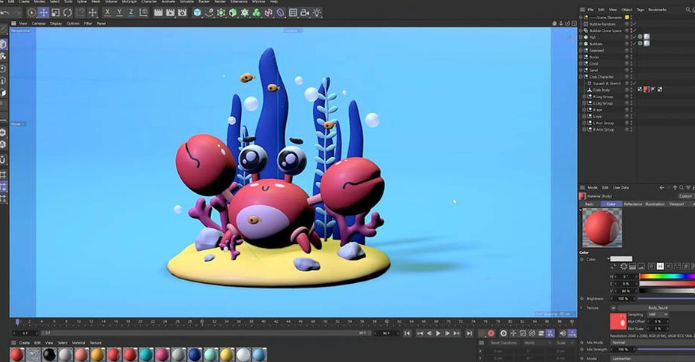
For more advanced motion graphics, Cinema 4D is used to create 3D animations. It helps designers build complex 3D motion sequences, product visualizations, and animated logos that add depth to video content.

3. Blender – The Open-Source Powerhouse

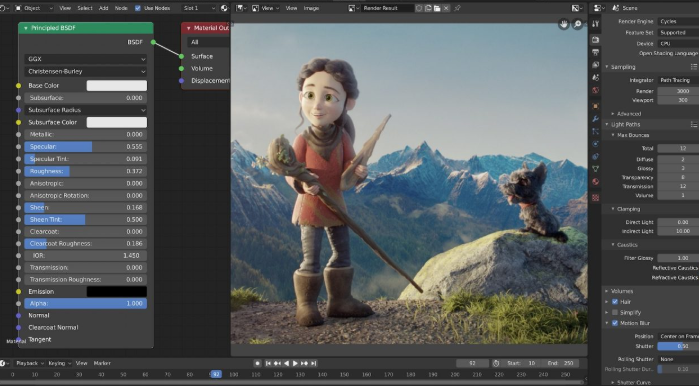
Blender is a free yet powerful tool that many experts use for 3D modeling, animation, and rendering. It’s especially popular for creating animated sequences in explainer videos and motion-heavy storytelling projects.

4. AI-Powered Motion Graphics – The New Frontier

AI is making motion graphics more efficient and accessible. Tools like Runway ML and DeepMotion automate animation processes, helping video editors generate effects with minimal manual effort. AI-powered captioning and voice-syncing tools also improve video accessibility.

5. Vyond – Simplifying Animated Storytelling

This tool is widely used for explainer videos. It allows businesses to create animated stories without needing deep animation knowledge. AI-assisted customization speeds up production while keeping content engaging.

6. Moovly and Animoto – Quick Motion Graphics for Social Media

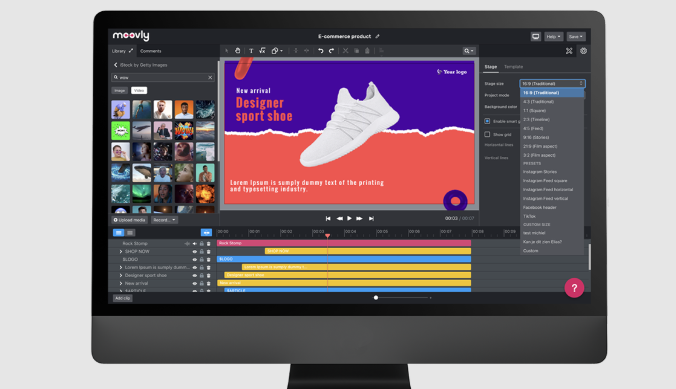
For brands that need fast, high-quality motion graphics without complex editing, these platforms offer easy drag-and-drop animation tools. AI-driven templates help businesses create professional-looking content in minutes.

FAQs

1. How do motion graphics in professional video improve engagement?

Motion graphics in professional video grab attention instantly by adding movement, color, and dynamic transitions. They make content more visually appealing, preventing viewers from losing interest. By incorporating animated text, infographics, and smooth transitions, motion graphics help keep audiences engaged throughout the video. 

They also reinforce key messages, making information easier to absorb and remember. This is especially useful in marketing, corporate training, and social media content.

2. Are motion graphics necessary for all types of professional videos?

While not every video requires animation, motion graphics in professional video significantly improve clarity and engagement. They are particularly useful for explainer videos, corporate presentations, advertisements, and product demos. 

Motion graphics simplify complex ideas and add a polished, professional look. Even subtle animations, such as lower thirds and smooth transitions, enhance storytelling. The right balance ensures that motion graphics support the content without becoming distracting.

3. What types of motion graphics in professional video are most effective?

Different types of motion graphics in professional video serve different purposes. Animated text highlights key points, making messages more memorable. Infographics and data visualization simplify complex statistics, helping viewers understand key insights. 

Logo animations add brand identity, while lower thirds introduce speakers or locations. Smooth transitions ensure seamless scene changes. Explainer videos and UI animations showcase products in a visually engaging way, making them effective across various industries.

4. How can businesses maintain brand consistency using motion graphics in professional video?

Brand consistency is crucial for recognition. Motion graphics in professional video should follow the same color schemes, typography, and visual styles used across all branding materials. Custom animations, logos, and transitions that align with a company’s identity reinforce professionalism. 

Using templates and style guides ensures uniformity across different videos. Consistent motion graphics help businesses build trust with their audience while making content visually appealing and recognizable.

Conclusion

Motion graphics in professional video do more than just make your content look good, they make it work better also. They help break down complex ideas, keep viewers engaged, and add a polished, professional touch. 

Whether it’s a corporate video, an ad, or a social media post, motion graphics make sure your message sticks with your audience. They grab attention, improve clarity, and strengthen branding. 

The key is using them the right way, keeping it simple, maintaining consistency, and making sure they enhance, not overpower, the content. When done well, motion graphics turn an ordinary video into something truly memorable and impactful.

Neque porro quisquam est, qui dolorem ipsum quia dolor sit consectetur, aliquam quaerats voluptatem. Ut enim ad minima veniam, exercitationem laboriosam, nisi ut aliquid ex ea autem velit esse quam nihil

address CPUTEK PRIVATE LIMITED
80, Vidyasagar Sarani
Purba Barisha Kolkata – 700008
call now 8013920772
Let's Talk